🚀 Campaigns
Campaigns are the bridge between your marketing efforts and your lead capture forms. They allow you to generate unique, trackable links for a single form so you can identify exactly which source—Instagram, WhatsApp, Email, or an Offline QR Code—is driving your business growth.
🔗 The Power of Unique Links
In Lead Management, a Form defines what data you collect, but a Campaign defines where the lead comes from.
You can create multiple campaigns for the same form. For example:
- Form: “Contact Us” -> Campaign 1: “Insta_Bio_Link”
- Form: “Contact Us” -> Campaign 2: “WhatsApp_Broadcast”
When a lead is captured, the system automatically tags it with the Campaign Title, giving you 100% accurate attribution on your Dashboard.
🔑 Key Features
1. Link Management
Every active campaign generates a unique URL.
- Copy Link: Use the Link Icon in the actions column to quickly copy the URL to your clipboard.
- Status-Based Access: The copy link feature is only available for Active campaigns. If a campaign is deactivated, the link will no longer function for lead capture.
2. Status Control (Activation/Deactivation)
Take full control over your marketing window:
- Toggle Switch: Use the
isActiveswitch to instantly turn a campaign link on or off. - Safety Confirmation: To prevent accidental deactivations, the system requires a manual confirmation before changing the status.
3. Form Association
When creating a campaign, you must select one of your existing Forms.
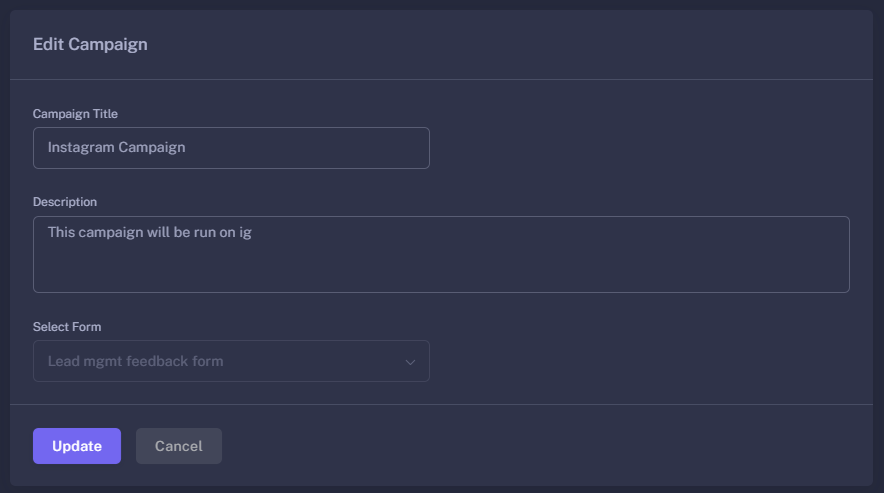
- Form Locking: Once a campaign is created, the associated form is locked (disabled for editing). This ensures that the data attribution for that campaign remains consistent over time.
🛠️ Creating a Campaign
The creation process is designed for speed:
- Campaign Title: Provide a clear name that identifies the source (e.g., “Summer Sale 2026 - FB”).
- Description: Add internal notes about the target audience or the specific goal of this link.
- Select Form: Choose the lead capture form you want the prospect to fill out.
- Auto-Generation: Once saved, the system automatically generates the unique tracking link using the
formCode.
🚀 Pro-Tips for Attribution
- Naming Conventions: Use a consistent naming pattern for your campaigns (e.g.,
Platform_Month_CampaignName) to make your Dashboard analytics easier to read. - Deactivate Old Links: If a seasonal promotion ends, deactivate the campaign. This prevents “stale” leads from entering your pipeline and keeps your analytics clean.
- Test the Link: Always use the Copy Link feature and open it in an incognito window to ensure the branding and fields look perfect before you spend money on ads.
Know exactly where your revenue comes from by mastering Campaigns.